WWW File Share Pro - How to hide a virtual directory?
Suppose you've added a virtual directory "ZIP" for
directory "E:\ZIP\":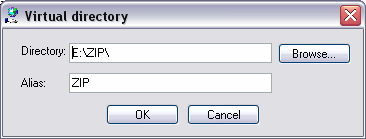 Now you may set "File protection" (on the "Settings" > "File Protection" panel) to hide this virtual directory to most users. You may set it like this: 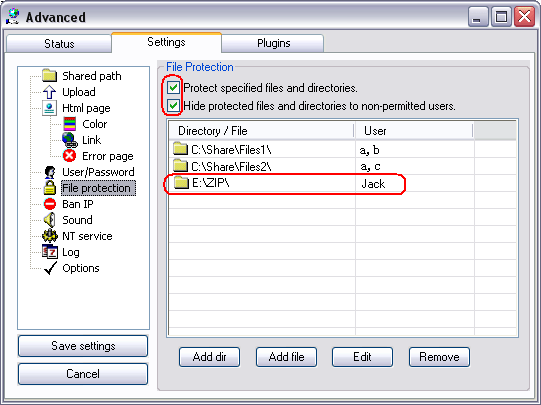 Now please click "Save settings" to save the changes. Then: 1) Only user "Jack" is able to see the virtual directory "ZIP". 2) The virtual directory "ZIP" is hidden to user "a", "b", "c" or any other users so they don't even know there is a virtual directory. |